Manage Containers With Cockpit and Podman
Published: June 6, 2023
A DevOps engineer's approach to bridging the gap between local development and enterprise CI/CD pipelines. When you execute git commit -m "I changed all the things", your application changes should move smoothly through development, testing, pre-production, and production environments. Containerization combined with Cockpit and Podman provides graphical management capabilities that help validate applications work before complex pipeline integration.
What is Cockpit?
Cockpit serves as a graphical Linux server administration tool available by default in RHEL-family distributions (Fedora, CentOS, RHEL, Rocky, Alma) and others. Accessed via browser at port 9090, it provides observability into CPU, RAM, storage, network, and software services.
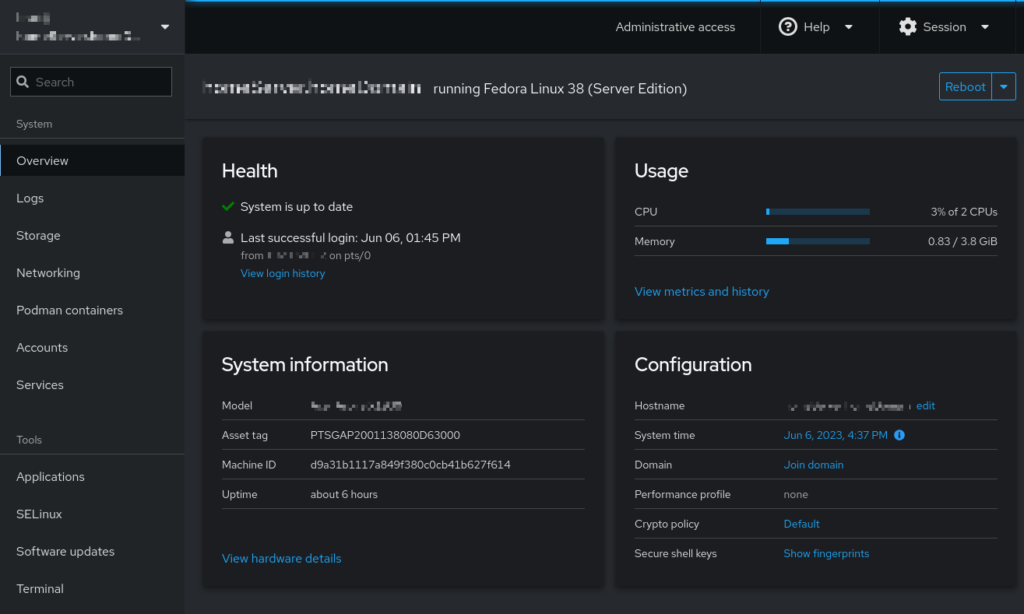
The service runs on a systemd socket, activating only when accessed, keeping resource usage minimal.
Installing Cockpit
For RHEL-family systems:
sudo dnf install cockpit
sudo systemctl enable --now cockpit.socket
sudo firewall-cmd --add-service=cockpit --permanent
sudo firewall-cmd --reload
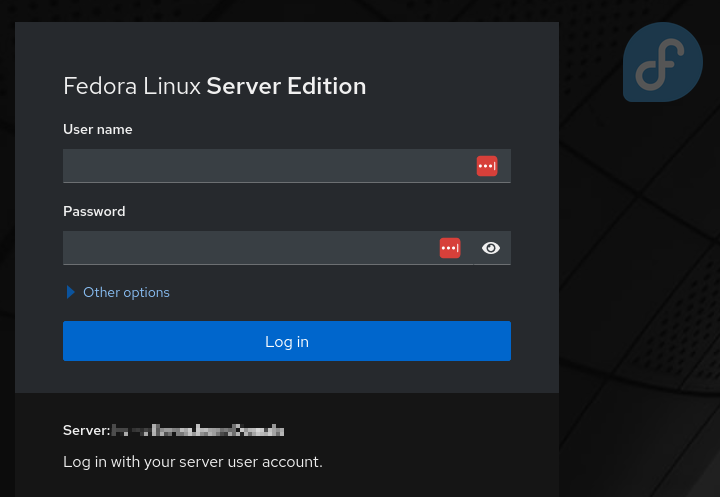
After installation, access Cockpit by navigating to https://your-server:9090 in your browser.
For Debian-family systems:
sudo apt install cockpit
What is Podman?
Podman (Pod Manager) provides Docker-compatible container management, primarily associated with RHEL but available across distributions. Commands like podman run -d -p 80:80 nginx yield identical results to Docker equivalents.
A significant advantage involves rootless container support—containers operate without root permissions, enabling developers to manage containerized applications independently of system administrators.
Cockpit and Podman Integration
Installing cockpit-podman adds container management capabilities directly to Cockpit's interface:
sudo dnf install cockpit-podman
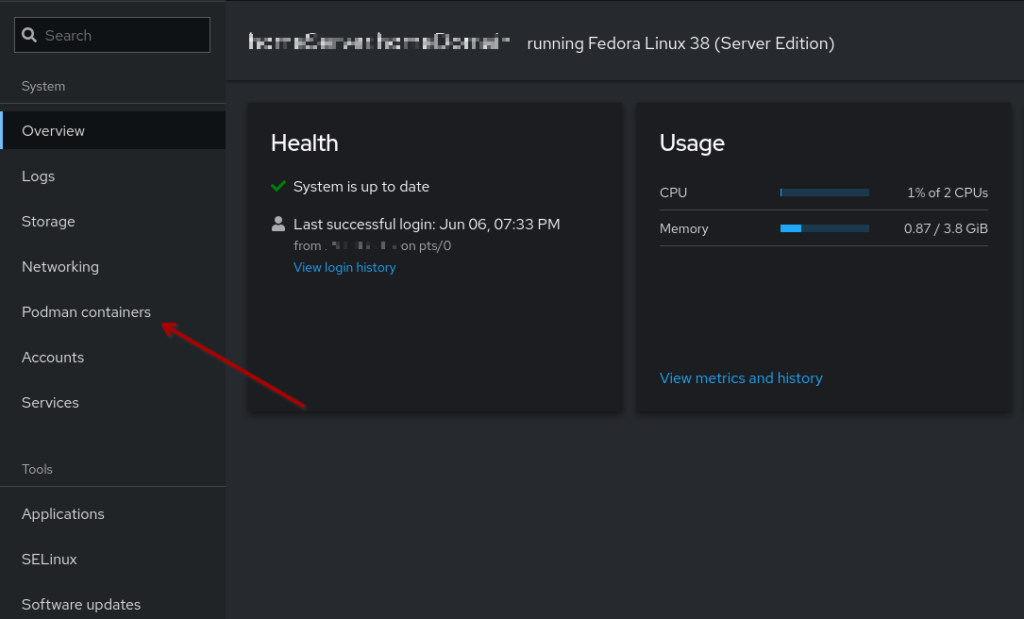
Once installed, a new "Podman Containers" menu item appears in Cockpit:
Users gain visibility into running containers, health check status, system resource consumption, and container performance metrics:
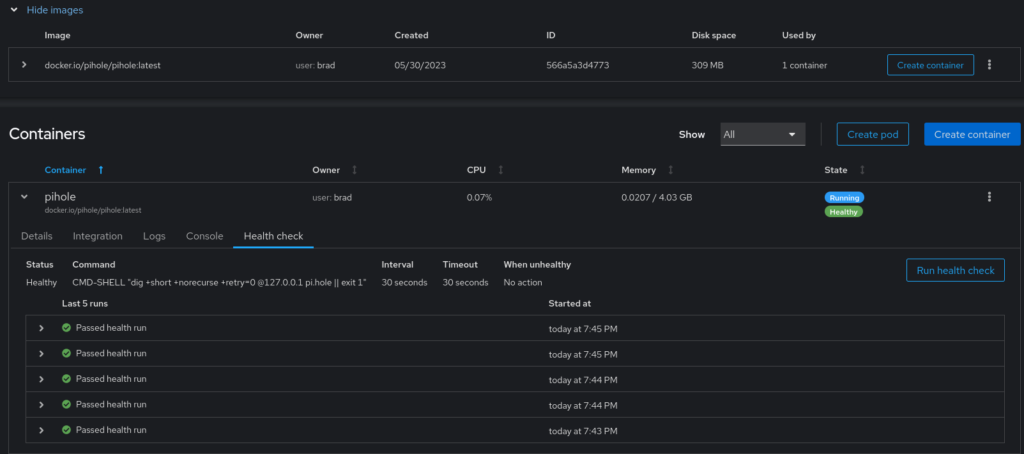
This allows developers to validate application functionality, test dependencies, and confirm containerization works before CI/CD pipeline integration.
Why Use This Approach?
The key principle: Change one thing at a time, and make sure that whatever was changed works before changing the next thing.
While enterprise computing increasingly moves toward cloud-native architectures, substantial legacy systems remain. Cockpit and Podman bridge the gap between laptop development and enterprise pipelines, reducing the pain of application onboarding through visual server and container health monitoring.
By confirming your containerized application works locally in Podman through Cockpit's interface, you can approach CI/CD pipeline integration with confidence that the containerization itself is sound.
Summary
Cockpit and Podman together provide:
- Visual container management without command-line complexity
- Rootless container support for developer autonomy
- Docker-compatible commands for easy transition
- Resource monitoring and health checks
- A methodical path from local development to enterprise pipelines